


Email - Email Login
4.3252.00 Reviews
App Specs
- Version
- 3.1.3
- Updated On
- License
- Free
- Downloads
- 5,000,000+
- Developer
- All Email Connect -Fast & Secure Mail
- Categories
- Communication
- Platform
- Android
Screenshots
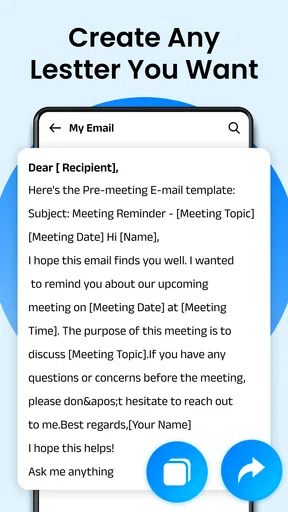
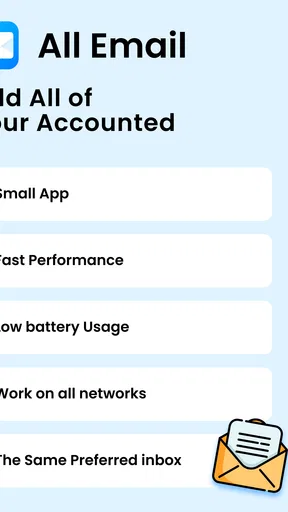
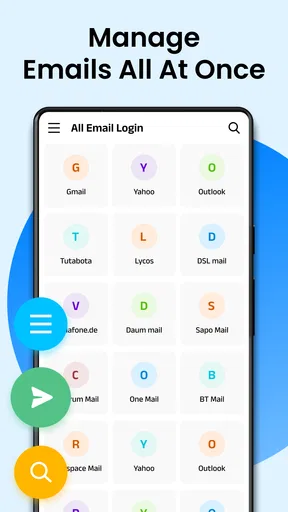
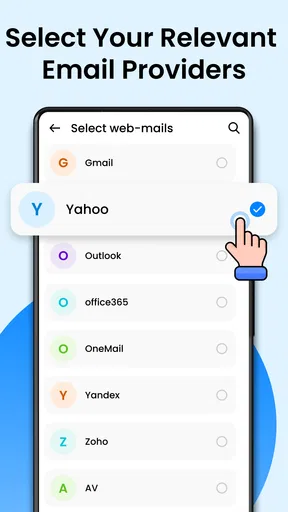
 Analysis by AppCompare
When several inboxes compete for attention, the appeal of bringing them together is easy to understand. I look at Email - Email Login as a communication app for people who want one place to check multiple email accounts, rather than a new way to change how email works. That distinction matters: a combined inbox can reduce app-switching, but it does not automatically make a crowded inbox easier to manage.
What the free price does—and does not—tell you
The app is free to download, with in-app purchases listed from $0.99 to $16.99 per item. That gives you a no-cost way to try it, while purchases are part of the value calculation if you decide to keep using it. I would start by checking whether the free experience covers your ordinary routine before spending anything. The listed purchase range alone does not tell me what each item unlocks, so I would not treat any paid option as essential without first seeing its purpose in the app.
That is a useful distinction for anyone comparing mail clients: free access makes experimentation low-commitment, but it is not the same as knowing the long-term cost of every feature. If you only need a place to read and send mail, test those basic tasks first. If a purchase is offered, consider whether it solves a specific problem you actually have rather than buying on the assumption that paid automatically means better.
The Setup: Getting Started with Ease
First things first, the installation process. Setting up Email - Email Login was as smooth as silk. I had it downloaded and ready to go in mere minutes. The app supports both Android and iOS, so no one’s left out in the cold. The interface? Slick and intuitive. It practically screams, "Hey, come on in, let’s get your emails organized!"
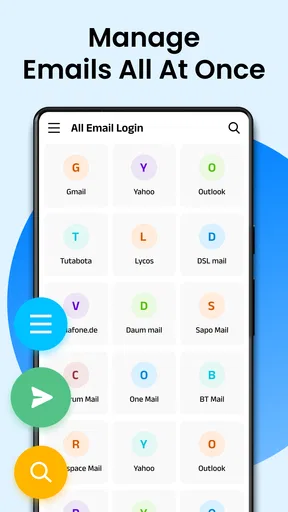
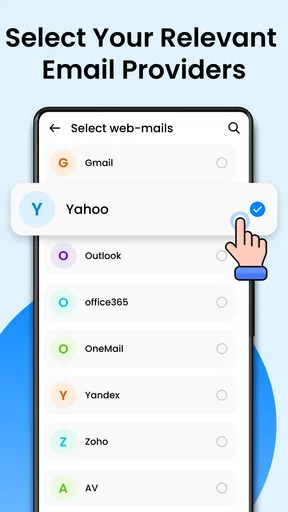
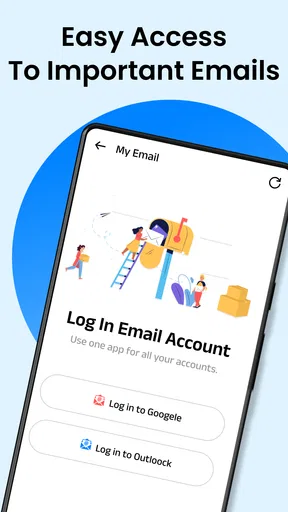
Adding multiple accounts was a breeze. Gmail, Outlook, Yahoo—you name it, this app supports it. And the best part? I didn’t have to dig through a mountain of settings to get things up and running. Just a few taps and I was in email heaven.
Making a shared inbox useful in everyday life
The clearest reason to use a multi-account mail app is separation without constant switching. Think of a day when a school message, a personal receipt, and a work thread all arrive before lunch. One place to scan them can be convenient, but I would still pause before replying: check which account is selected, then check the sender address. That small habit helps avoid sending a personal note from a work account or answering a client from the wrong address.
A practical setup is to keep distinct accounts for distinct roles, then use the combined view for a quick overview rather than treating every message as one undifferentiated stream. When something needs a careful reply, open the relevant account or confirm its identity before composing. This is not busywork; it is the trade-off that comes with convenience. A unified inbox saves taps, but account context still matters.
Worth Reading Before You Choose

Flipboard Shows What News Apps Must Do Beyond the Feed

Switching to Android Auto Means Rethinking Your Driving Routine

Google Calendar Makes a Crowded Week Easier to Manage

Ludo King Makes the Most of the Minutes Between Plans

Baby Panda World Brings Quick Play to Modern Phones, but Its Game Library Feels Busy

ESPN’s Live Game View Makes Following Close Games Easier
Another useful workflow is to make the app a triage stop, not necessarily the place where every email gets handled. I would scan for time-sensitive items, deal with simple replies, and leave complicated work for a calmer moment. If the inbox is noisy, that approach is more dependable than expecting any mail client to decide what deserves your attention. The app can bring messages together; the user still needs a routine for deciding what to do next.
Features That Stand Out
Now, let’s talk features. Email - Email Login isn’t just your average email app. It’s packed with nifty tools that make managing emails less of a chore and more of a walk in the park.
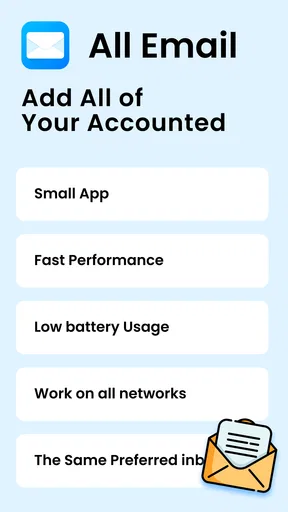
- Unified Inbox: Say goodbye to switching between different accounts. The unified inbox brings all your emails together, so you never miss a beat.
- Smart Filters: The app automatically sorts your emails into categories like Promotions, Social, and Primary. It’s like having a personal assistant for your inbox.
- Custom Notifications: You can set custom notifications for different accounts or even specific senders. No more unnecessary pings at 3 AM!
- Attachment Management: Viewing and downloading attachments is a breeze. Whether it’s a PDF, image, or document, you can access it with a tap.
The app’s search functionality deserves a special mention. It’s lightning-fast and super accurate. Finding that email from two weeks ago? Challenge accepted and conquered.
Small choices that make the tools more practical
Filters are most helpful when I treat them as a way to reduce scanning, not as a guarantee that an important message will land in the category I expect. If I am waiting for a booking confirmation or a work request, I would check the relevant account and its main inbox rather than relying only on a filtered view. That is a sensible safeguard in any email setup where automatic sorting is involved.
Custom notifications can also be used to shape attention. For example, setting a more noticeable alert for a genuinely important account or sender may be more useful than enabling frequent alerts everywhere. The point is not to make every message urgent; it is to reserve interruptions for messages where a quick response matters. If notifications become distracting, reducing them is likely more helpful than checking the phone more often.
Search is especially valuable when an email is no longer near the top of the inbox. I would use a clear sender name or a distinctive word from the subject before trying a broad search, then narrow the query if needed. That makes the app’s search easier to use for practical retrieval, such as finding an attachment or checking what was agreed in an older thread. It is a small workflow improvement, not a substitute for keeping important messages organized.
How it compares with the usual alternatives
Compared with opening each provider’s own mail app, a multi-account client can make a quick overview feel simpler: fewer app changes, one place to scan, and one search point to try. The provider apps may still be the better choice if you prefer their familiar layout or rely on provider-specific tools and habits. I would not switch solely because a single inbox sounds tidier; the real test is whether the combined view helps you act faster without creating account confusion.
Compared with a basic mail client that focuses on one account at a time, the appeal here is convenience across accounts. The trade-off is that a unified view can blur boundaries if you do not pay attention to which address is active. People who handle sensitive work correspondence, manage several roles, or need strict separation may prefer opening accounts individually for replies that require extra care. For casual personal mail, the consolidated approach is more likely to feel like a time-saver.
User Experience: Smooth Sailing
The user experience with Email - Email Login is top-notch. The app’s design is minimalistic yet functional, and it doesn’t bombard you with unnecessary features. Navigation is intuitive, and everything is exactly where you’d expect it to be.
One thing I truly appreciate is the app’s speed. Whether you’re opening an email, switching accounts, or searching your inbox, everything happens in the blink of an eye. It’s like using email on turbo mode.
Who is likely to get the most value
I would recommend trying it if you regularly check more than one inbox and your main frustration is moving between them. A freelancer separating client and personal mail, for instance, could benefit from seeing incoming messages in one place while keeping the original accounts distinct. Someone who watches several family or community addresses may also find a single overview less cumbersome than opening each inbox in turn.
It is less compelling for a person who already works comfortably inside one provider’s app, or who depends on a particular provider’s specialized workflow. It may also be a poor fit if you want a strict boundary between accounts and know that seeing them together would make mistakes more likely. In those cases, using the provider’s own app—or keeping separate mail apps—can be a deliberate choice, not a failure to take advantage of convenience.
The app is free, rated for Everyone, and has an average rating of 4.1 from around 52,000 ratings, with more than a million installs. Those figures suggest that many people have tried it, but they cannot tell you whether its account handling matches your own needs. I would use your first few sessions to add the accounts you actually need, send a low-stakes test message, and confirm that replies come from the intended address before trusting it with important correspondence.
Security: Because Safety Matters
In today’s world, security is a big deal. Email - Email Login gets this. The app implements robust security measures to keep your information safe. End-to-end encryption ensures that your emails are only seen by you and the intended recipient. Plus, they offer two-factor authentication for that extra layer of protection. Peace of mind, anyone?
Because email often contains account notices, personal details, and documents, I would still make security part of the setup rather than assuming the app alone handles every risk. Use strong, distinct passwords for the email accounts you connect, and enable two-factor authentication where your provider supports it. Be careful with unexpected attachment requests, too: convenient attachment access does not make a file trustworthy. These are sensible habits whether you use a combined client or a provider’s own app.
One question worth considering before moving all your mail into a single interface is how you want to handle a lost or shared device. Use your device’s own screen lock, and avoid leaving an unlocked phone where other people can browse your inbox. If you share devices or need an especially controlled work environment, compare the app’s available account and device controls with your organization’s requirements before relying on it. That is a situation where a managed work solution may be more appropriate than a general-purpose mail app.
Compatibility and a sensible first test
The current version is 3.1.3, and the minimum Android requirement is version 8.0. The developer is All Email Connect -Fast & Secure Mail. Before installing, I would check that your device meets the operating-system requirement and that you are choosing the intended app, especially if several email tools appear in a search. On a compatible device, start with one account you use often, learn how the inbox and account selection behave, and add the rest only after that feels clear.
If you are deciding whether it is worth keeping, test the things that would matter in your routine: whether the accounts you want can be added, whether you can identify the sending account at a glance, whether search helps you retrieve an older message, and whether notifications are manageable. A short, deliberate trial answers those questions better than installing every account at once and trying to reorganize a full inbox on day one.
Final Thoughts: Is It Worth It?
So, what’s the final verdict? Email - Email Login is a stellar choice for anyone looking to manage multiple email accounts effortlessly. It’s user-friendly, feature-rich, and prioritizes security. Whether you’re a busy professional or just someone who likes to keep their digital life organized, this app is a game-changer.
Ready to take the plunge? Head over to the app store and give it a download. Trust me, your inbox will thank you.
My recommendation is to try it if consolidating accounts would solve a real annoyance for you, then keep using it only if the unified view makes your day simpler without weakening your account boundaries. The $0.99–$16.99 in-app purchase range makes it sensible to understand what a purchase offers before paying; free access is enough to begin evaluating the fit. I would skip it if your current provider app already does everything you need, or if you would rather keep each address in its own clearly separate space.
Pros
- Intuitive interface for easy navigation.
- Supports multiple email accounts seamlessly.
- Strong spam filter reduces unwanted emails.
- Quick email search function available.
- Customizable notifications for each account.
Cons
- Occasional syncing delays with some servers.
- Limited storage for attachments.
- No dark mode option available.
- Certain features require a premium upgrade.
- Ads can be intrusive in the free version.
FAQs for Email - Email Login
What features does the Email - Email Login app offer?
The Email - Email Login app provides a streamlined interface for managing multiple email accounts, including popular services like Gmail, Yahoo, and Outlook. It offers features such as push notifications, customizable folders, and an intuitive search function to easily find emails. Additionally, it supports attachments and integrates with cloud storage services.
Is the Email - Email Login app secure for managing sensitive information?
Yes, the Email - Email Login app prioritizes security by using encryption protocols to protect your data. It offers two-factor authentication and supports biometric login options like fingerprint and facial recognition. Regular updates ensure the app is protected against vulnerabilities, making it a secure choice for handling sensitive information.
How user-friendly is the Email - Email Login app for beginners?
The app is designed with user-friendliness in mind, offering a clean and intuitive interface that is easy to navigate. It includes a guided setup process for adding email accounts and offers helpful tips and tutorials for new users. The app’s minimalist design reduces clutter, making it accessible even for those new to email management apps.
Does the Email - Email Login app support offline email access?
Yes, the app supports offline access, allowing you to read and draft emails even without an internet connection. Once reconnected, your drafts will be sent, and any received emails will be synchronized. This feature is particularly useful for users who frequently travel or experience intermittent connectivity.
Are there any costs associated with using the Email - Email Login app?
The basic version of the Email - Email Login app is free to download and use. However, it offers in-app purchases for advanced features such as ad removal, additional customization options, and priority customer support. Users can choose to upgrade to a premium subscription for an enhanced experience.


